














PuliBet login: what to prepare and where to enter your details
To access an existing account, use the username chosen at registration and your current password. A separate casino name is set on your first casino visit and cannot subsequently be changed; if you do not have an account, start with registration , not recovery.
Before logging in, check which email address is linked to the account. You will need it for recovery and to confirm certain changes. Your phone must also remain under your control: SMS and Google Authenticator serve different purposes, so setting up a code-generating app does not remove the need to access your number.
-
Open the login form and enter your username. Check the keyboard layout and that you are using this account's name.
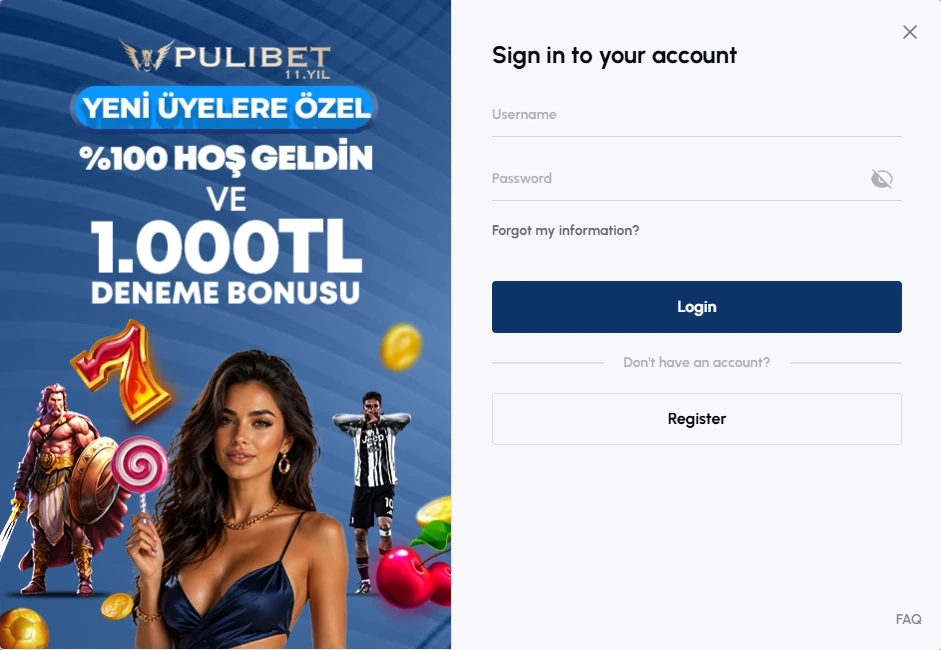
Username and password fields for logging in to PuliBet - Enter your password. If you have already changed it through recovery, use the new version rather than a saved old one.
- Confirm the login. If Google Authenticator is enabled, enter the requested code.
- Wait for the account area, then check the history and balance. An open form or loaded lobby does not yet mean authentication is complete.
- When finished, log out of your account in every environment used: the mobile app and the separate browser.
On my first login with a username and password, the account area opened in 8.4 seconds, with no documents requested at that stage. This was the time for the first username-and-password login on my account. It also does not mean that the operator waived identity checks during subsequent account use.
If you are looking for ‘current PuliBet login access’, first distinguish an unavailable page from a password error or an account restriction: the PuliBet Guide home page describes the service, while the operator's support handles specific questions about your account.
Do not give your password to someone offering to ‘help you log in’ through messages. The terms prohibit transferring an account to third parties and concealing your IP to circumvent restrictions. Creating a second account or using someone else's details does not fix an access problem and may add a separate violation to the original error.
| Scenario | Action | Observed result | Limit of the finding |
|---|---|---|---|
| First login | Username and password | Account area opened in 8.4 seconds without documents | Time to open the account area in my login |
| Repeat login | Password and Google Authenticator | Access obtained | The code does not replace SMS for withdrawals |
| Password reset | Şifremi Unuttum and email | Email opened after 46 seconds; old password did not work | Time from request to opening the email |
| Restriction after errors | Five consecutive incorrect entries | Support restored access after questions | The attempt count applies to my case |
| Ending a session | Logging out of the APK, then the browser | The browser session had to be closed separately | Different environments require separate logouts |
Password recovery and account blocking
If you have forgotten your password, use Şifremi Unuttum in the login form and the email linked to your account. Do not keep guessing once it is clear you do not know the correct password. In my case, five consecutive incorrect entries caused a block; support then restored access after verification questions.
The jungle
in your pocket
PuliBet on your smartphone: an Android app and mobile access on iPhone. Choose the format that suits you.

How to reset your password
-
Select recovery in the login form.
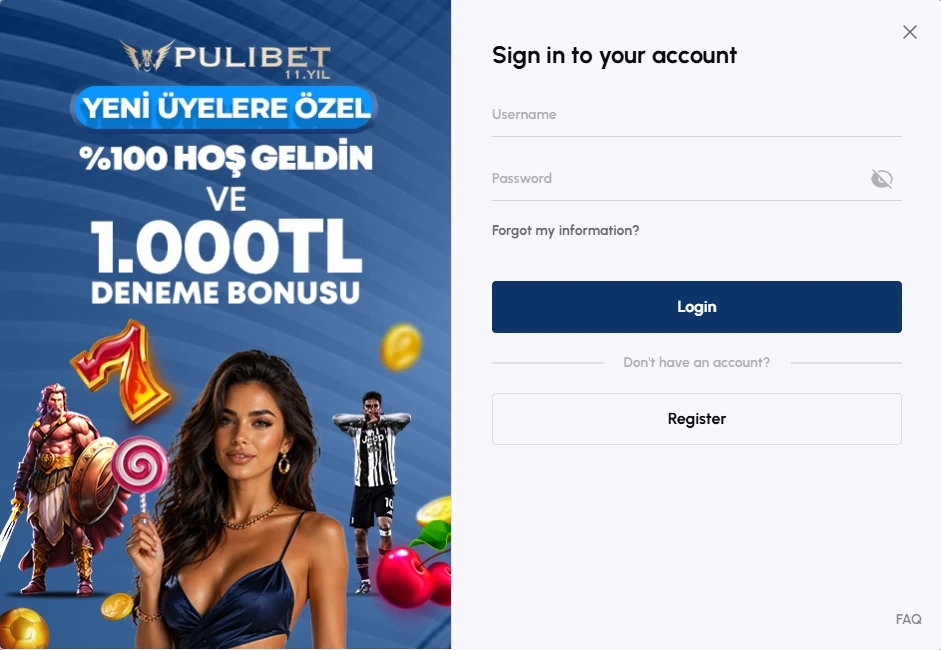
Requesting password recovery by email - Enter the linked email address and submit the request.
- Open the email you receive and follow the password change link.
- Set a new password while retaining access to your mailbox.
- Return to normal login and use the new password. If an additional check is enabled, complete that too.
I opened the recovery email 46 seconds after the request, changed my password and tested the old one: it no longer worked. What matters here is not just quick access to the email, but also invalidation of the previous secret. Do not treat 46 seconds as a deadline after which any other email must be considered lost. If you cannot find the email, check the address entered and your mailbox folders. Do not create a new account to circumvent a problem with the old one. If you have lost access to the linked email or the details do not match, contact support: the normal recovery form does not establish your entitlement to someone else's email address.
The documents contain different password requirements. The general terms specify at least six characters with letters and numbers, while the terms of use require at least eight, including a lowercase letter, an uppercase letter and a digit. I used 14 characters, including a special character; that was my choice, not a separate mandatory interface requirement. When creating a new password, it is sensible to follow the stricter documented requirement. Do not interpret the ability to enter a short combination as a recommendation to use it. If you suspect someone else has learnt your password, changing it matters more than repeating your usual login; the terms also require a password change if it is compromised.
What to do after a series of incorrect entries
After the block, I contacted support and answered verification questions, after which access was restored. Re-entering the same password does not replace this procedure. Explain exactly what happened: the form rejects the password, the account is blocked, or the recovery email is not arriving; this helps keep different requests separate. Do not assume automatic unlocking after a particular number of minutes: there is no universal timeframe here. If support verifies the account holder, answer using your own account details. Do not send your current password as ‘proof’, because knowledge of payment secrets and entitlement to an account must not be treated as interchangeable.
A ‘details already in use’ message indicates an existing record, so a forgotten username or an inactive phone requires recovery, not a new account with invented details: the one-account rule still applies.
| Situation | Confirmed condition | Action |
|---|---|---|
| Details already in use | A record with these details exists | Recover access instead of creating a second account |
| Repeated incorrect passwords | Login may be blocked | Contact live chat and complete account holder verification |
| Email or number needs changing | The change requires identity and contact verification | Request the change through support |
| Ordinary account closure | In my case, the balance was zero and there were no open bet slips | Reopening requires a separate request |
| Self-exclusion | This is a separate protective tool | Do not use ordinary reopening to circumvent it |
| Extended inactivity | The documents distinguish grounds at 12 and 30 months | Clarify which ground was applied; do not treat the periods as interchangeable |
Changing email, phone and name
In my email change episode, support asked verification questions, after which the new address was confirmed. The username stayed the same. This matters for subsequent login: a new email does not mean that you simultaneously received a new username or a separate gambling account. Changing the phone also involved support, identity verification and an SMS to the new number. It is not a freely editable profile field. Prepare access to the new contact before enquiring, but do not treat receipt of an SMS alone as completion of every check the operator applies to the account holder.
The username and assigned casino name cannot be changed: if the form rejects your details, ask support which field is required, because a password reset will not correct a different name mistakenly entered instead of the username.
Eligibility and wagering conditions apply.
- Deposit in the example
- 250 TRY
- Wagering in the example
- 2,750 TRY
- Time limit
- 20 days

Google Authenticator, SMS and documents
Google Authenticator is enabled through KULLANICI HAREKETLERİ → İKİ ADIMLI DOĞRULAMA. I completed email confirmation, opened the QR code and then used the app's code after entering the usual details. A repeat login with the password and additional code completed successfully.
-
Open the two-step verification settings in your account.
Setting up two-step login verification - Complete confirmation through the linked email address.
- Add the displayed QR code to Google Authenticator.
- Finish setup with the requested code.
- On the next login, complete the additional check after your username and password.
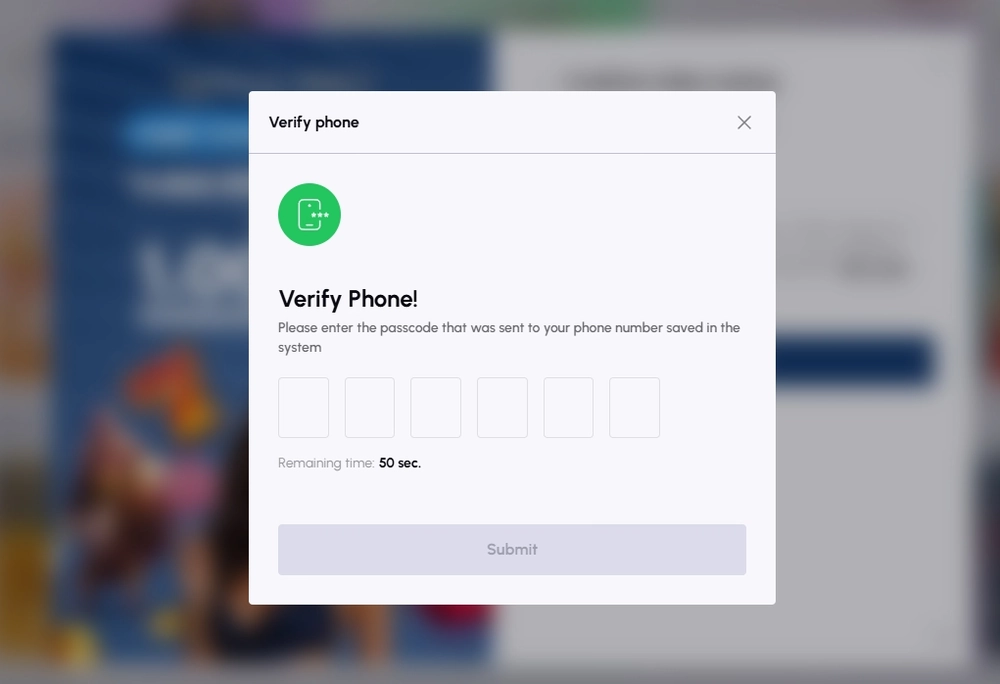
SMS is used for separate phone verification and for transactions where the operator requires it. In my phone verification, the code arrived in 24 seconds against a 50-second timer; no resend was needed. The form contained six boxes. SMS verifies the phone, while Google Authenticator is used for a separate login check.
The first withdrawal required documents and SMS, while a repeat withdrawal to the same bank with unchanged details did not require another document set, retaining the confirmation code. Successful login, a verified phone and completed identity verification therefore cannot be treated as the same account state. Document details and correction of a rejected file are explained on the account verification page. If the account area opens but a withdrawal is paused for checks, a new password alone does not address the cause. Name the transaction and its status in your enquiry, rather than just the general word ‘block’.
App, browser and separate sessions
I checked access in several environments: the APK on Poco X7 Pro, Webview and Safari on iPhone 16, and Edge on ThinkPad T14 Gen 3. These are routes to one account. Do not create an additional account to move from phone to computer: the history and balance belong to your account, not a separate installation.
| Author's environment | Version | Access result |
|---|---|---|
| Poco X7 Pro, Android 15, HyperOS 2 | APK 3.4.5089 | Cashier, JetX and balance opened without another password within an active session |
| iPhone 16, iOS 27.0 | Webview 1.5 | Account area, cashier and shared transaction history |
| iPhone 16, iOS 27.0 | Safari 27.0 | Separate browser with the same account's history |
| ThinkPad T14 Gen 3, Windows 11 24H2 | Edge 155.0.4283.45 | Login fields were navigated using Tab |
Keeping and ending a session
In the APK, I moved between the cashier, JetX and balance without re-entering the password. After a force stop and session expiry, the login form appeared again. These results are compatible: a retained active session does not mean indefinite access, and the form returning does not prove account deletion. When I logged out of the APK, the browser session remained active, and I ended it separately. After using several environments, check each one. Closing the app window and logging out of the account must not be treated as identical actions either; check authentication status in the specific environment.
Account history and display issues
On iPhone, Webview and Safari displayed the history of one account. After returning from the bank flow, refreshing showed one transaction with no double credit. If figures look different in two windows, start by refreshing the history and checking the transaction entry, rather than assuming you have two independent balances.
In Edge, I navigated the form fields using Tab. Sweet Bonanza, previously added to favourites, was also retained after logging in again. Saved favourites help identify your account after a repeat login. For a disputed payment, use the identifier of the specific transaction in the history.
Installation is described on the app page, and phone interface features are covered in the mobile version . Lobby loading speed cannot be substituted for authentication time. Access depends on an active session, correct details and completion of the required verification.
If the network drops, do not treat a blank screen as automatic bet cancellation or a refund. In my episode, an accepted round appeared in the history after connection recovery, with settlement and no repeat debit. Check the history first, then enquire about the specific transaction; pressing again must not replace establishing its status.
Cookies are used for authentication among other purposes, so disabling them may affect the service's functions. Before deleting browser data, however, save the transaction number and error description: a login error alone does not identify cookies as its cause.
Closed accounts, inactivity and safely continuing
I requested ordinary closure with a zero balance and no open bet slips. After the request was completed, I could not log in. Reopening required a separate enquiry and contact confirmation; simply knowing the old password did not override the closed account status. Self-exclusion differs from this closure. It provides for a six-month period with betting and promotional messages stopped. The ordinary account reopening procedure cannot be applied to self-exclusion as a way to resume gambling early; this restriction is intended to protect the player.
The inactivity terms use two different grounds: 30 months of non-use and 12 months without a deposit or where the account holder's whereabouts are unknown. Do not replace the first figure with the second or infer an unspecified monthly fee from them. For a personal reminder, it is sensible to consider the earlier period while keeping the reasons distinct.
If recovery has not resolved the problem, prepare your username, a description of the last successful action and the exact error text for support . Information about Telegram and Twitter/X explains the channels' roles, but public messages are unsuitable for passwords or identity documents.
My practical conclusion: ordinary login, password reset and the additional check work as separate, clear steps. Blocking after errors and several simultaneously open sessions require the most care. If you notice signs of losing control over gambling, choose responsible gambling tools , not another way back into your account.
Access questions
Is Google Authenticator required on every login?
After enabling two-step verification, my repeat login required a code after the password. This is an additional confirmation. SMS for withdrawals relates to a different transaction and is not replaced simply by having Google Authenticator.
Why does the old password not work after a reset?
In my case, the old password stopped working after the change. Use the new one. If the browser fills in a saved value, check it before resubmitting the form so you do not continue a series of incorrect attempts.
What should I do if login is blocked after errors?
Stop guessing and contact support. My access was restored after verification questions. In my episode, the block followed five consecutive incorrect entries.
Does logging out of the APK end the browser session?
Not in my check: I had to end the browser session separately. Check every environment in which you logged in, especially if you used a computer as well as your phone.
Can a previously closed account be reopened?
For an ordinary closure, I completed a separate reopening request and contact confirmation. Self-exclusion is a different restriction; this experience provides no basis for circumventing it.
How do I change my email while the username stays the same?
Contact support. In my case, verification questions and confirmation of the new email were required, while the username did not change. Do not create a second account just to use another address.